Comic browser · macOS · Windows · Linux

Comic Commander

Your whole comic collection as a wall of covers – or on a wooden shelf. Pick a book and read it right there.

Free and open source (MIT). Download packages for macOS, Windows and Linux on GitHub or build from source.

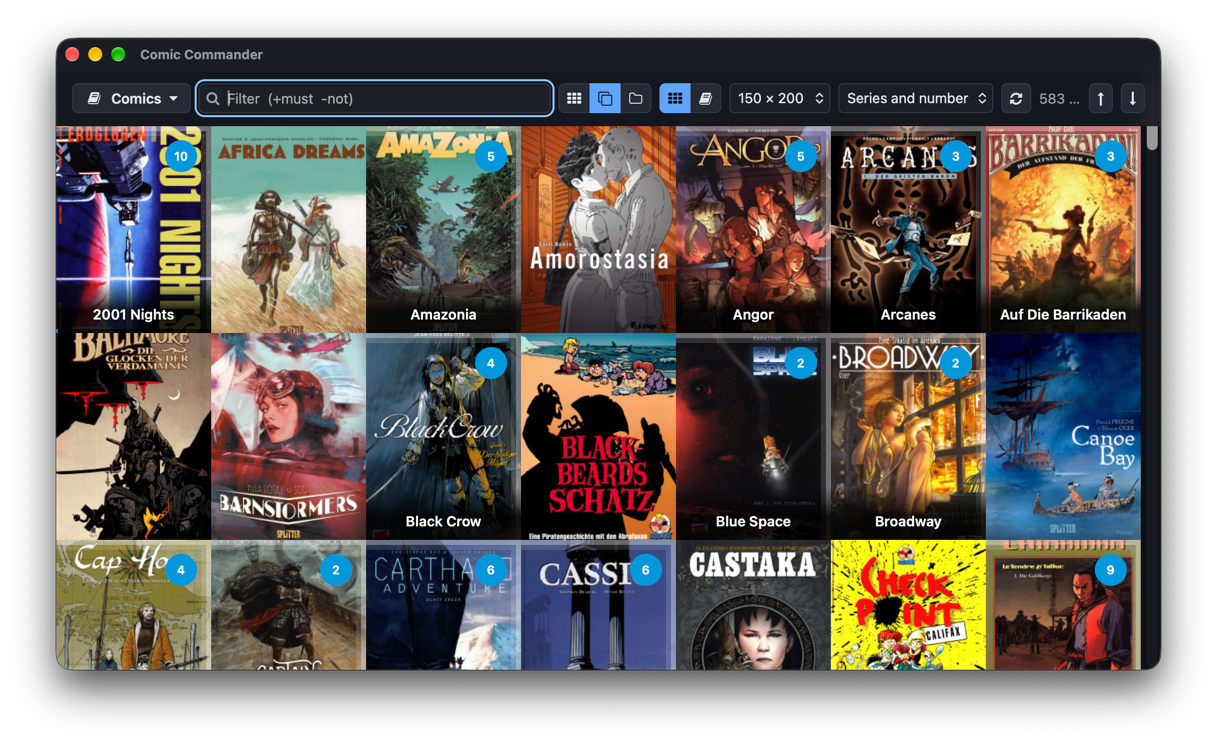
Comic Commander showing the category Comics as a borderless wall of covers grouped by series – 2001 Nights, Africa Dreams, Amazonia, Angor and more, each series with the number of volumes in a blue badge

Thousands of comics, one look

My comics live in folders – CBZ, CBR, PDF, sorted by series, some with odd names. For years a small server of mine showed them as covers in the browser.

Comic Commander is its successor as a real desktop app: it opens instantly, reads every common format and never touches your comic folders.

Marc Kronberg

The wall of covers

Every book as its cover, edge to edge.

Scroll through the whole collection, by series or by folder. A series shows the cover of its first volume, the number of volumes and how far you have read.

  • Filter as you type: asterix -album, series:, year:1990-1999, writer:
  • Sort by series and number, name, date or size
  • Cover size, filter and position are kept per category
Views
Ctrl/⌘ ⇧ L S D
Read
Enter
Close-up of the toolbar with the filter field, view buttons, cover size and sort order, below the covers of 2001 Nights, Africa Dreams, Amazonia and Amorostasia with their series badges

On the shelf

Like books in a bookcase.

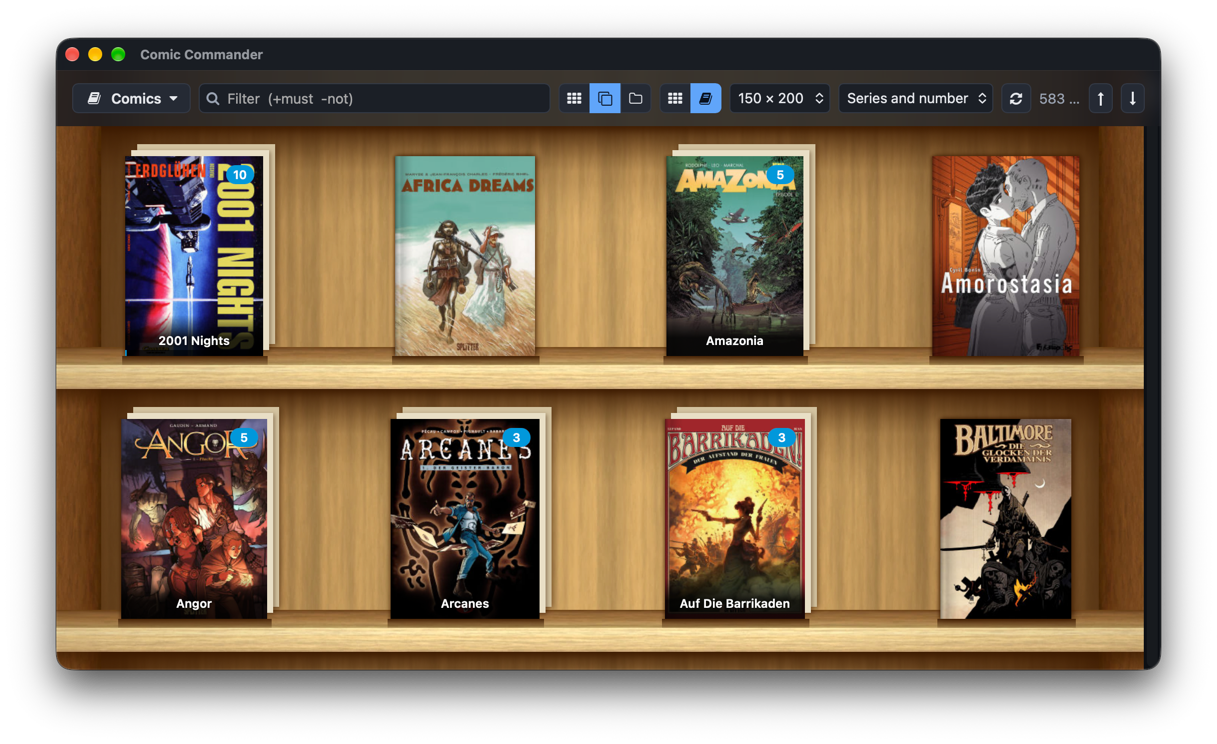
One key turns the wall into wooden shelves: covers stand in their real proportions, with spine, pages and shadow. A series shows up as a small stack. Filter, views and keys work just the same.

Wall ⇄ shelf
Ctrl/⌘ ⇧ B
The shelf look: covers of Amazonia, Angor, Arcanes and others stand on two wooden shelves, series as stacks

The reader

Read where you browse – no other program.

Single page or continuous, fit width, height or page, full size or free zoom. Read big pages screen by screen, rotate, switch to manga right to left, go full screen. The toolbar fades away while you read.

  • Remembers the last page of every book
  • ] takes you to the next volume of the series
Zoom modes
1 2 3 4
Rotate, manga
R L M
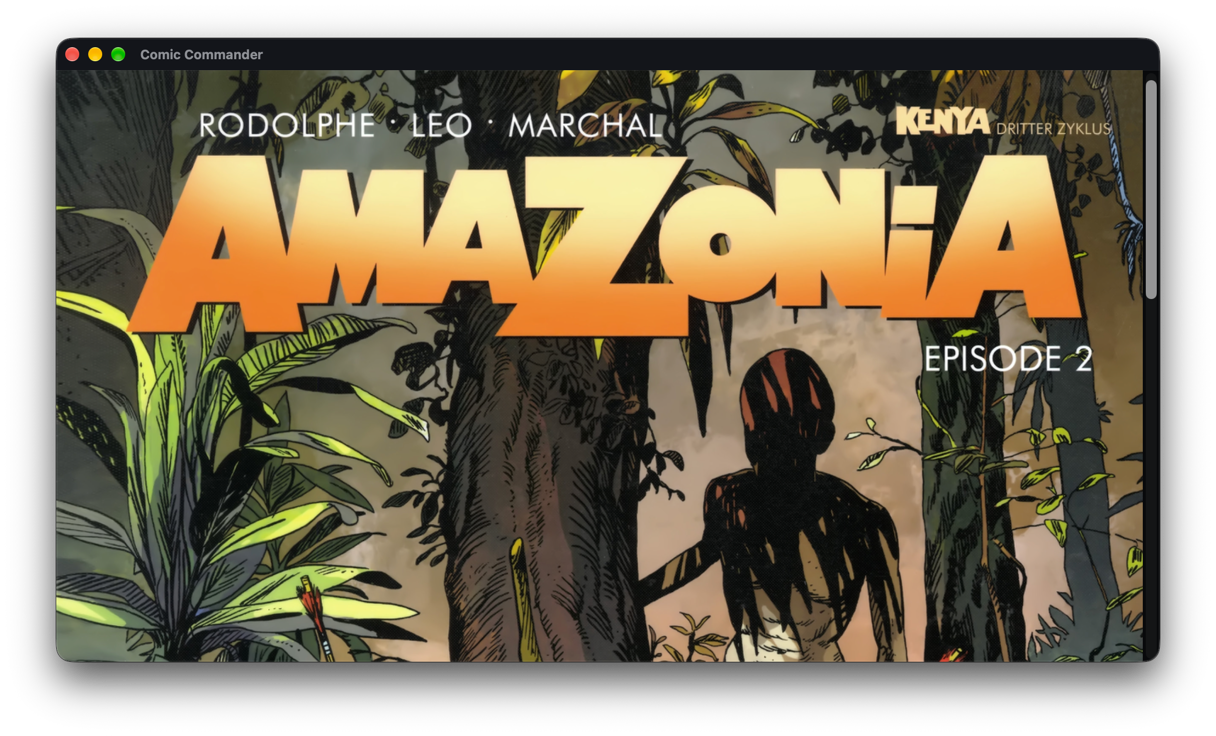
The reader at full window width: the cover of Amazonia, episode 2, without any toolbar

Made for big collections

Books are recognised by their content, not by their extension – a CBR that is really a ZIP opens just fine.

  • CBZ
  • CBR
  • CB7
  • CBT
  • PDF
  • ZIP
  • RAR 4/5
  • 7z
  • TAR
  • Your folders stay untouchedCovers and caches live in the app's own cache, nothing is written into your comic folders.
  • Instant startThe last scan shows up at once and is refreshed in the background. An unreachable drive keeps its last state.
  • Series from ComicInfo.xmlSeries, number, year, writer and manga direction from ComicRack metadata – or from the file name.
  • CategoriesComics, manga, magazines: each with its own folder, formats and cover sizes. Choose with Ctrl/⌘ 1…9.
  • All covers at onceGenerate missing thumbnails in the background with progress, time left, pause and cancel.
  • PDF in RustCovers and pages without external programs; scanned PDFs show their embedded images directly.
  • Hostile files stay harmlessArchives and images are read with limits – no zip bombs, no zip slip, broken books just show their format.
  • Keyboard firstEvery function is an action with a shortcut, in the menu and in the command palette. Your own keys in keymap.json.
  • Natural orderVolume 2 comes before Volume 10; umlauts are found in either Unicode form.
  • Coming from comiccommander?Import your old config.json with a preview; existing thumbnails are used.

Hands on the keyboard

Mouse, trackpad and swipe work too – but everything is one key away. Ctrl on Windows and Linux, ⌘ on macOS.

Browsing

Read the book
Enter
Actions for the book
Space
Filter
just type
All books, series, folders
Ctrl/⌘ ⇧ L S D
Wall ⇄ shelf
Ctrl/⌘ ⇧ B
Bigger, smaller covers
Ctrl/⌘ + Ctrl/⌘ −
One level up
Backspace
Command palette
Ctrl/⌘ ⇧ P

Reading

Next, previous page
→ ← Space
Fit width, height, page, full size
1 2 3 4
Zoom
+ −
Rotate right, left
R L
Single page ⇄ continuous
S
Manga
M
Next, previous book
] [
Full screen, back
F11 Esc

macOS, Windows and Linux

One app, built with Tauri and Rust, with a native menu on macOS and a menu bar in the window elsewhere. Ready-to-run packages are available on GitHub.

SystemNeedsPackage
macOS12 Monterey or later, Apple Silicon and Intel.dmg
Windows10 or 11, x64Installer or .msi
LinuxWebKitGTK 4.1 – Ubuntu 22.04, Debian 12, Fedora 36 or later.deb, .rpm, AppImage

Questions

Is it free?

Yes. Comic Commander is open source under the MIT license – read the code, change it, use it.

Where can I download it?

Download ready-to-run packages for macOS, Windows and Linux under Releases on GitHub. You can also build the app from source with Node.js, pnpm and Rust – the steps are in the README.

Does it change my comic files?

No. Comic Commander only reads your books. Covers, scan results and unpacked pages are kept in the app's own cache folder, reading positions in its settings folder.

Which formats can it read?

CBZ, CBR (RAR 4 and 5), CB7, CBT and PDF, plus the same as plain ZIP, RAR, 7z and TAR. Pages can be JPEG, PNG, WebP, GIF or BMP. Encrypted books are skipped.

I used the old Comic Commander server. Can I keep my setup?

Yes. Import its config.json – you see a preview of all categories with missing folders and duplicates first. Thumbnails the old server created next to your books are used as they are.

Where do the comics come from?

From your own collection: comics you scanned yourself from books you own, DRM-free purchases or freely licensed comics. Comic Commander only shows and reads what is already on your disk – it is not meant for pirated copies and has no download function.

Are the packages signed?

Not yet. The packages are currently unsigned: on macOS open the app with right-click, Open; on Windows choose More info, Run anyway in SmartScreen.

Which languages?

English for now. German, switchable while the app runs, comes with the settings.