Text editor · macOS · Windows · Linux

The calm editor for huge files.

Millions of lines, lines with millions of characters – editlicious opens them in a blink and stays quiet while you work. Almost nothing on screen but your text; everything else is one keystroke away. Still tastier than chocolate.

Free and open source (MIT), for macOS, Windows and Linux (GitHub Releases).

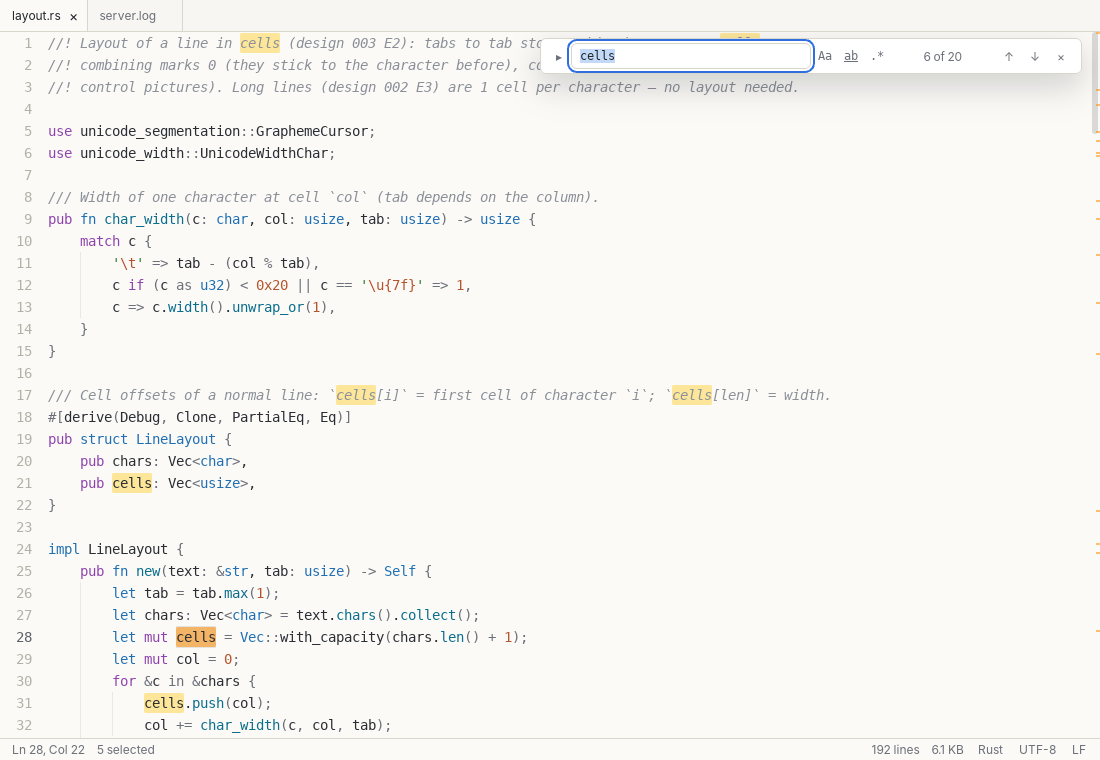
editlicious with a Rust file: syntax colours, indentation guides, the find bar with “6 of 20” matches, marks for every match in the scroll bar and a quiet status bar with line, column, language, encoding and line ending

Measured with release builds of the engine on a small two-core Linux machine (see docs/architecture.md). Files up to 4 GB.

Big files are the normal case

Log files, data dumps, minified JSON: editlicious never loads more onto the screen than you can see. The text lives in a rope inside a Rust engine; the window only gets the visible lines.

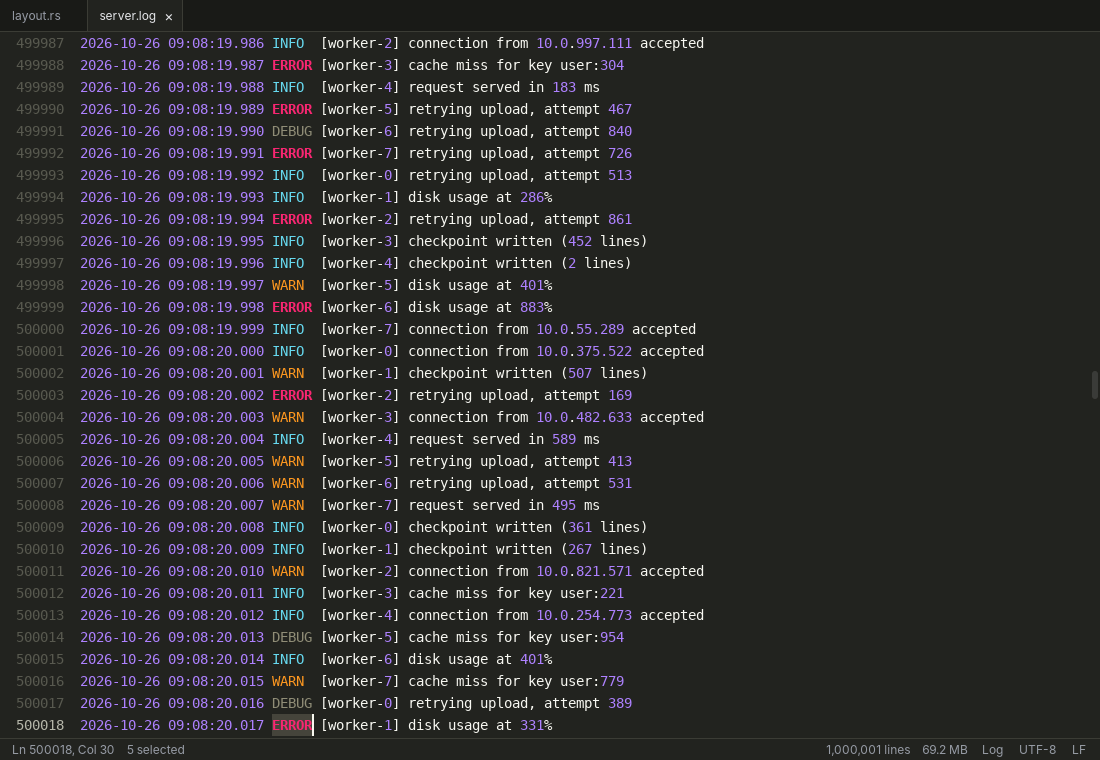
A million lines? Just open it.

The file streams in with a progress bar you can cancel, the encoding is detected on the way (UTF-8, UTF-16 with BOM, the legacy code pages), and you can start reading while big files are still being indexed for colours.

  • Go to any line instantly – Ctrl/⌘ G / ⌘ L
  • Search runs over blocks of lines; counting a million matches happens in the background
  • Copying, sorting and replacing never send the whole file through the user interface
Find
Ctrl/⌘ F F3
Replace
Ctrl H / ⌘ ⌥ F
A log file of 1,000,001 lines and 69.2 MB in a dark colour scheme, scrolled to line 500,000, with log levels INFO, WARN, ERROR and DEBUG in their own colours

Endless lines, wrapped or not

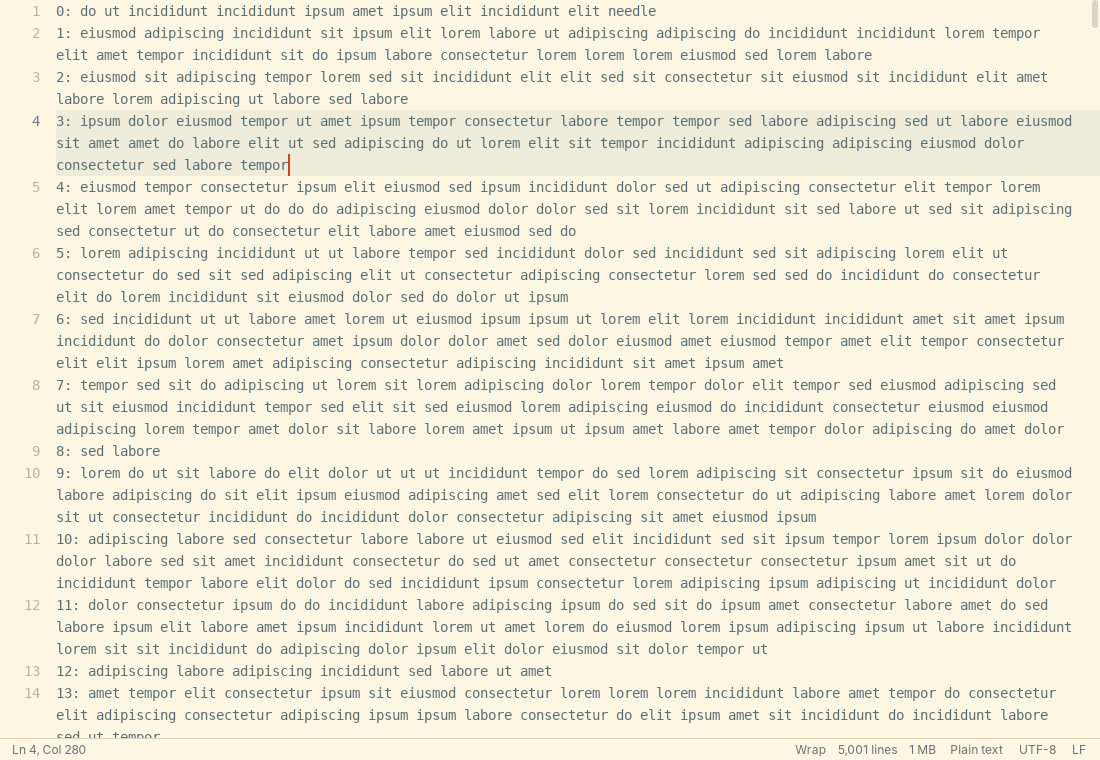
A line with ten million characters is shown as a window of what fits – scrolling sideways costs microseconds. Turn on soft wrap with Alt Z and normal lines break at word boundaries; the arrow keys, Page Up/Down and the mouse then move through rows.

Lines longer than 10,000 characters stay unwrapped on purpose, so a minified file never turns into a wall of rows.

Soft wrap in the warm “sand” colour scheme: long lines of text break at word boundaries, the line numbers stay with the first row, the status bar says “Wrap”

Quiet on screen, quick on the keys

No toolbars, no side panels. The menu bar shows up when you press Alt, the tabs when you open a second file, and F1 hides everything but the text.

Every function is a command

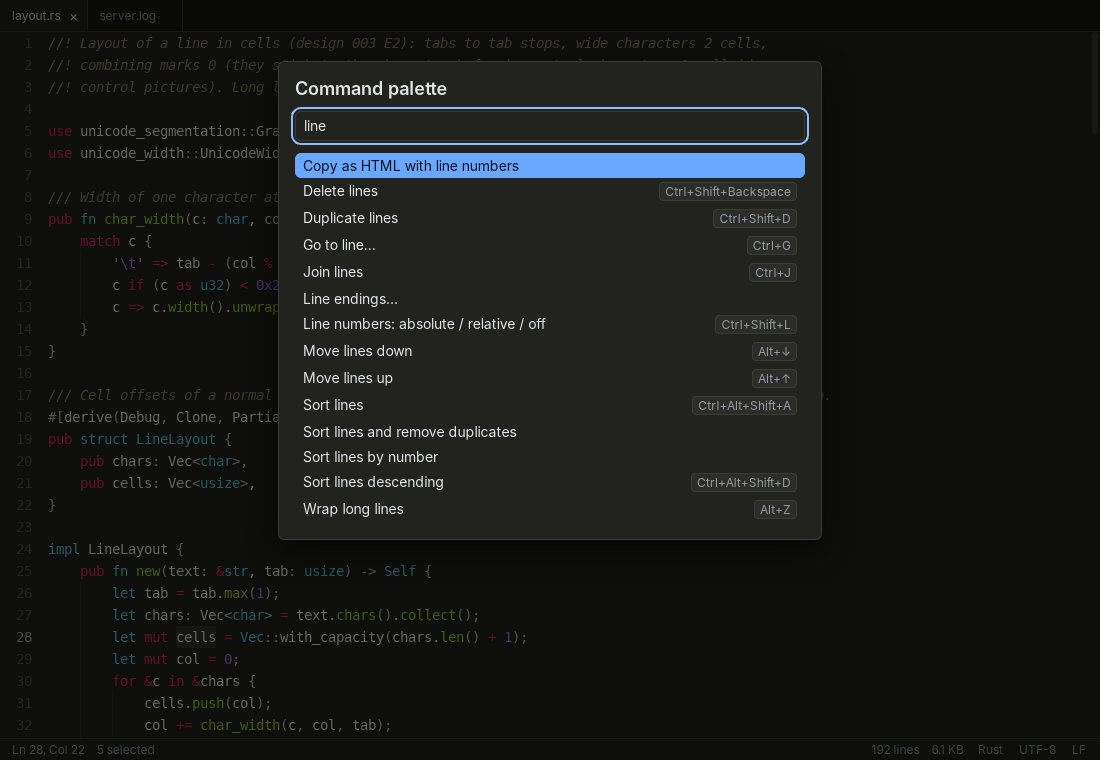
The command palette (Ctrl/⌘ ⇧ P) finds any of them by name and shows its shortcut. Ctrl/⌘ ⇧ K lists all shortcuts; a small keymap.json changes them.

  • Several carets: Ctrl/⌘ D adds the next occurrence, Alt-click adds a caret
  • Column selection with Alt-drag or Alt ⇧ + arrows (⌘ ⌥ ⇧ on the Mac)
  • Sort, remove duplicates, change case, move, join and duplicate lines
  • Mark up to ten words in ten colours – the marks show up in the scroll bar too
The command palette over a Rust file: typing “line” lists commands such as Delete lines, Duplicate lines, Go to line, Join lines, Line endings, Move lines and Sort lines, each with its shortcut

Your font, your colours, your language

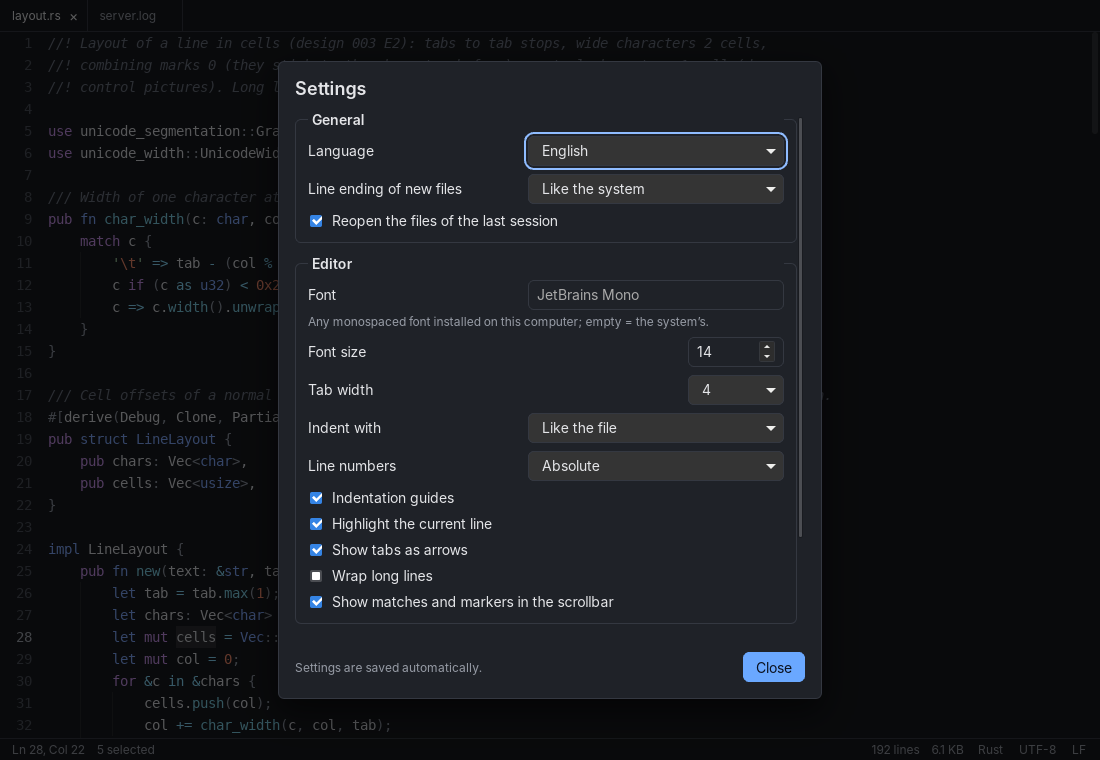
Pick any monospaced font and size (Ctrl/⌘ + / − / 0), tabs or spaces, absolute or relative line numbers, indentation guides. Thirteen colour schemes from bright paper to an amber terminal – or the system’s – pick them from thumbnails (⇧F12) or step through with F12.

The whole interface speaks English and German and follows your system. Settings apply at once; there is no “OK” button to forget.

The settings dialog: language, line ending of new files, reopen last session, font, font size, tab width, indent with, line numbers, indentation guides, current line, tabs as arrows, wrap and scroll bar marks
  • Syntax colours

    The Sublime/TextMate grammars for more than 70 languages, log files and INI included – computed for the visible part only.

  • Encodings & line endings

    Shown in the status bar; one click reads a file again in another encoding, converts it, or turns every line break into LF, CRLF or CR.

  • Saving is sacred

    Atomic writes, permissions and symlinks kept, nothing half written. Encoding, BOM and line endings stay as they were.

  • Copy as HTML

    Paste code with its colours into mails and slides – with or without line numbers.

  • Changed on disk?

    editlicious notices and reloads – or asks first when you have unsaved changes.

  • Picks up where you left

    Open files, caret and scroll position come back on the next start.

Try the engine right here

The editing engine is written in Rust without any user-interface code – so it also runs in the browser as WebAssembly. Type, select, add carets, or load a million lines or a single five-million-character line, all inside this tab.

Open the live demo

Hands on the keyboard

Ctrl on Windows and Linux is ⌘ on the Mac.

Files & view

Open, save, save as
Ctrl O Ctrl S Ctrl ⇧ S
Next / previous file
Ctrl Tab F10
Command palette
Ctrl ⇧ P
Everything but the text off
F1
Next colour scheme
F12
Choose a colour scheme
⇧F12
Wrap long lines
Alt Z
Status bar
Ctrl F5
Settings
Ctrl ,

Editing

Find, next, previous
Ctrl F F3 ⇧ F3
Next occurrence as caret
Ctrl D
Move lines
Alt ↑ Alt ↓
Duplicate lines
Ctrl ⇧ D
Sort lines ascending
Ctrl ⇧ Alt A
Upper / lower case
Ctrl U
Mark word in colour
Ctrl ⇧ F7
Copy as HTML
Ctrl ⇧ C

Download

Download the latest version from GitHub Releases; the packages are built by the public release workflow.

SystemPackage on GitHub ReleasesNotes
macOS 12+.dmg · 10.9 MB
Apple silicon and Intel
Opens text files from Finder (“Open with”). Not signed yet: the first time, right-click the app → Open.
Windows 10/11setup .exe · 3.7 MB
.msi · 5.4 MB
Uses the WebView2 that ships with Windows. Not signed yet: SmartScreen → More info → Run anyway.
Linux
x86-64
.deb · 7.1 MB
.rpm · 7.1 MB
AppImage · 85 MB
Needs WebKitGTK 4.1 (present on current distributions); the AppImage brings everything along.

Each release also contains SHA256SUMS.txt to check the download (sha256sum -c SHA256SUMS.txt). Prefer to build it yourself? Clone the repository and run pnpm install and pnpm tauri build.

Questions

How big can a file be?

Up to 4 GB. The text is kept in memory as a rope, so you need roughly the file’s size in RAM; everything else – drawing, searching, colouring – only looks at what is needed.

Is it an IDE?

No. There is no project view, no language server, no plugin store. editlicious is for reading and editing text quickly – logs, data, configuration, notes and code.

Why “editlicious”?

Editor plus delicious. The first editlicious was a Java editor from 2013 that promised to be “tastier than chocolate”. This is its rewrite with Rust and Tauri, built around big files.

Does it send anything anywhere?

No. No telemetry, no accounts, no update pings. The live demo on this site runs entirely in your browser as well.

Can I change the shortcuts?

Yes – put a keymap.json next to the settings. The shortcut list (Ctrl/⌘ ⇧ K) shows what is active.

Which licence?

MIT. The source is on GitHub; issues and ideas are welcome.